
No app to install
AR opens from the browser on iPhone, iPad and Android. Buyers tap View in your space, point the phone at the floor, and the product appears.
Buyers point their phone camera at the floor and your product appears in their own room, at real size, on iPhone and Android. No app to install. On a computer, the page shows a QR code, so they continue on their phone.
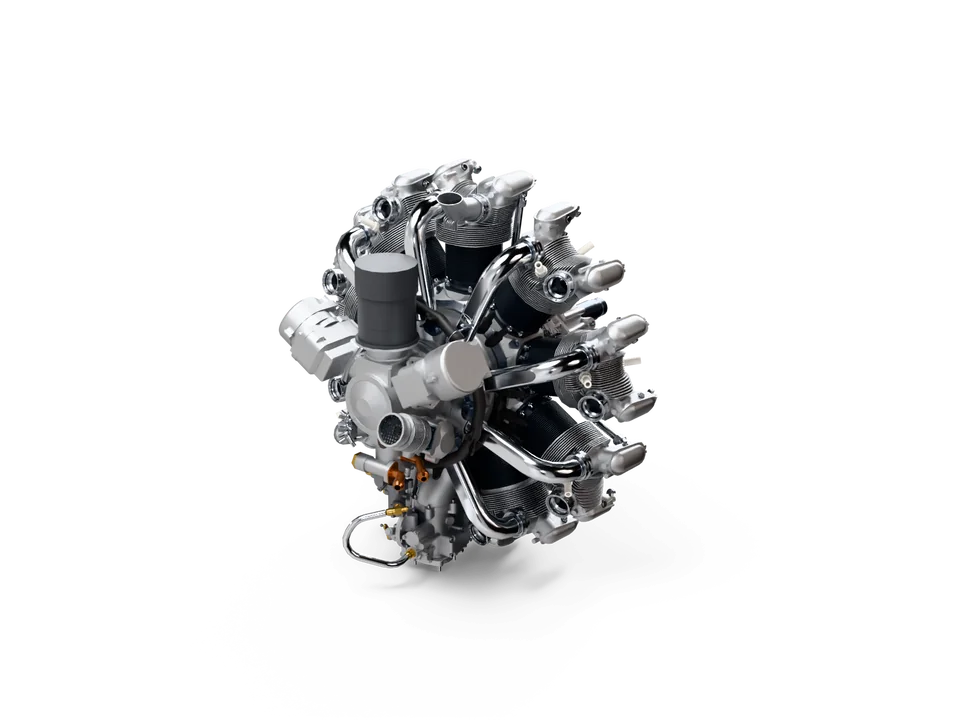
Scan with your phone camera to see this engine in your room. iPhone and Android, no app.
vplab makes the AR files from it, with real materials: USDZ for iPhone and iPad, GLB for Android.
Send the link, or show its QR code. Add your logo, and on paid plans a button such as Request a quote.
They tap View in your space and point the camera at the floor. On iPhone and iPad it opens in AR Quick Look, on Android in Scene Viewer, and they walk around it at real size.
AR opens from the browser on iPhone, iPad and Android. Buyers tap View in your space, point the phone at the floor, and the product appears.
The product appears at its true size from the CAD file, so buyers see how it fits their floor, workshop or showroom.
Opened on a computer, the page shows a QR code that opens the same link on a phone. Put the QR code in a brochure, an email or on a trade show stand.
iPhone needs USDZ and Android needs GLB. vplab makes both from your STEP file, light enough to open in seconds on mobile data.
Free too
AR is included on every plan. All the public links of one product count as one published product.
Add your logo to the page. On paid plans, add an action button such as Request a quote, and see how many people opened the link and tapped the button.
No. AR opens from the web page in AR Quick Look on iPhone and iPad, and in Scene Viewer on Android. On a phone without AR, the product opens as a 3D view.
AR puts the product into the buyer's own room through the phone camera, at real size. The 3D web viewer shows it on the screen, inside your web page, where buyers turn it and zoom in. Both come from the same vplab link.
Yes. Every link opens in AR on iPhone and Android, from the same page. On a computer, the page shows a QR code to continue on a phone.
Yes. vplab keeps the real size from your CAD file, so buyers see the product as big as it is and can walk around it.
Yes. Link to the AR page from your product page, put its QR code next to the product, or embed the 3D viewer with one line of HTML.
No. AR uses a lightweight 3D model with materials, not your CAD data. Buyers can save that model, for example to place it in AR, so share what you are happy to show.
Start on the Free plan, no card needed, and choose a plan when you publish more products. Bring a STEP file and we'll help with the first upload.