
Computed from your CAD
No exploded configuration to build in SOLIDWORKS, Inventor or Creo. vplab moves each part outward from the center of the product and along its front-to-back axis, based on where the part sits in the assembly.
Show what is inside your product without rebuilding it. Drag one slider to open any assembly, then render it as an image, an interactive image or an Animation where the parts open and close.
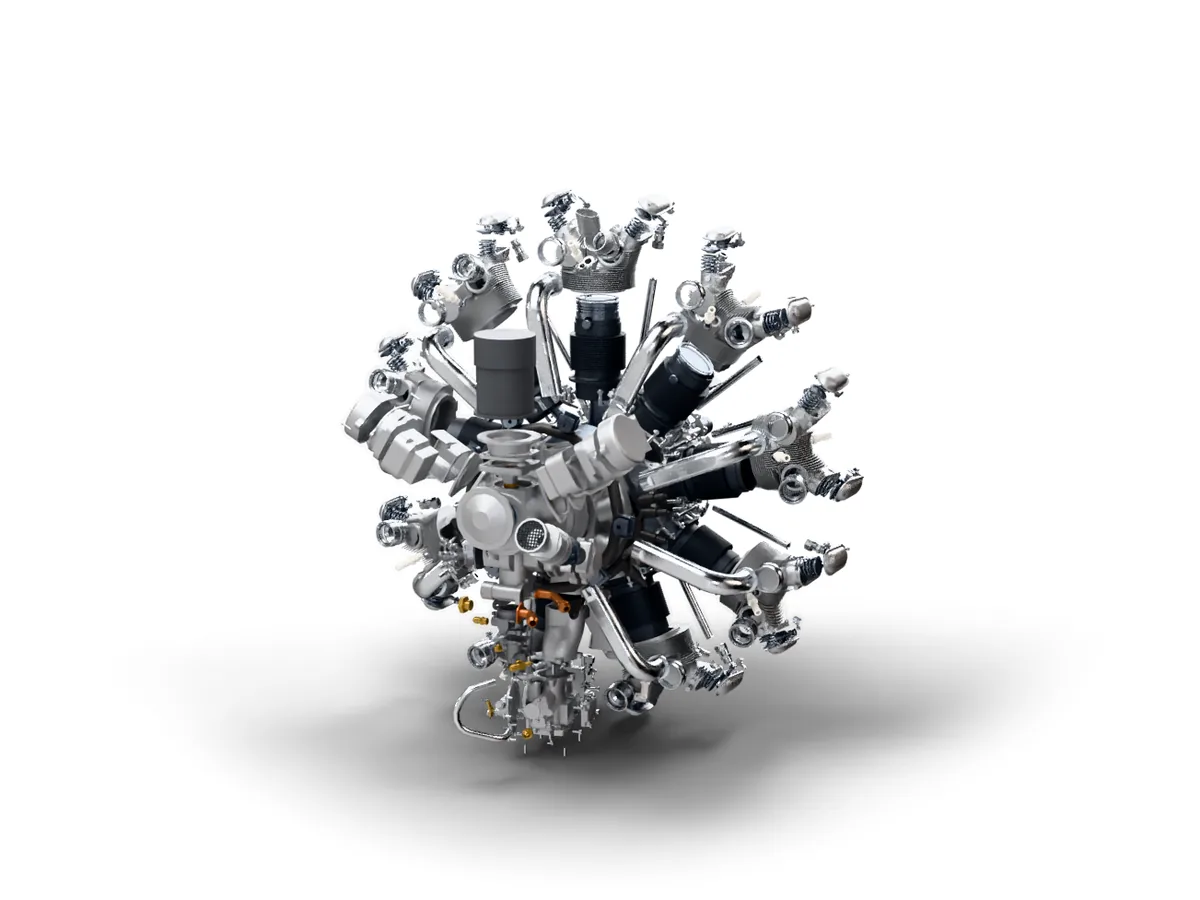 Drag to open the engine
Any assembly works. vplab reads every part and placement from the file and keeps their names, so the next revision lines up with this one.
In Render, drag Exploded view from 0 to 100%. The 3D preview opens the product as you drag, so you see the result before you render.
Pick an image, an interactive image or an Animation. Render it on your own graphics card or in the cloud, then share it with a link or download the file.
No exploded configuration to build in SOLIDWORKS, Inventor or Creo. vplab moves each part outward from the center of the product and along its front-to-back axis, based on where the part sits in the assembly.
The same 0 to 100% setting works for still images, interactive images and Animations, so a catalog image and a launch video can show the same exploded product.
In an Animation the parts move apart and come back together within 8 seconds, so the video loops cleanly. Combine it with any of the five camera moves: Turntable, Orbit, Push in, Crane or Still.
As the parts open, the camera pulls back just enough to keep the outermost part in view, and the product lifts so no part sinks into the floor.
2,160 parts
The engine on this page is a 104 MB STEP file with 2,160 parts. Its exploded Animation is 240 frames at 1080p.
No. vplab works out where each part goes from the assembly in your STEP file. You choose how far the parts move with one slider.
Still images, interactive images and Animations. In an Animation it works with every camera move, and Still is made for it: the camera holds your framing while the parts open and close.
No. vplab moves every part automatically along its own path. You set the amount for the whole product, from 0% (assembled) to 100%.
Yes. The engine on this page has 2,160 parts, and its exploded Animation renders at 1080p.
The same as the render it belongs to. Rendering on your own graphics card uses no credits. Cloud renders use credits, and the button shows how many before you start.
Start on the Free plan, no card needed, and choose a plan when you publish more products. Bring a STEP file and we'll help with the first upload.